Cloud
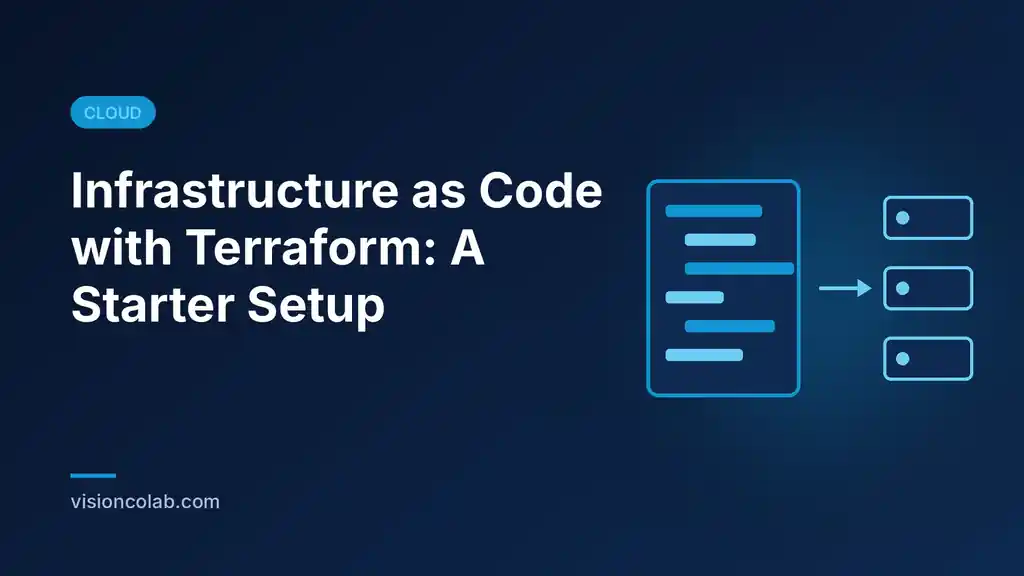
Infrastructure as Code with Terraform: A Starter Setup
A practical starting setup for Terraform or OpenTofu: repository layout, remote state and locking, environments, modules, secrets, CI/CD with plan review, drift detection and the licensing question.
In shortA solid starting point for infrastructure as code is one repository with reusable modules and a separate folder per environment (dev, staging, production), remote state with locking, secrets kept in a secrets manager rather than in code, and a CI pipeline that runs plan on every pull request and apply only after review. Terraform and its open-source fork OpenTofu both work with this setup.
Infrastructure as code (IaC) means describing your servers, databases, networks and permissions in text files instead of clicking around a cloud console. Done well, it means every environment can be rebuilt, every change gets reviewed, and a bad day is recoverable. Done badly, one command can take down production. Here’s a structure that keeps a small team quick without that risk.
Terraform or OpenTofu?
In August 2023 HashiCorp moved Terraform from an open-source licence to the Business Source License. In response, the community created OpenTofu, an open-source fork hosted by the Linux Foundation. For most companies using Terraform to manage their own infrastructure, the licence change has little practical effect; it mainly restricts building competing products. The two tools share the same language and most providers, and this guide applies to both. Choose based on your organisation’s licensing policy and the features you need, and check the Terraform documentation or OpenTofu’s for specifics.
The starter layout
infrastructure/
├── modules/
│   ├── network/        # VPC, subnets, security groups
│   ├── database/       # managed PostgreSQL, backups, parameters
│   ├── app/            # container service, load balancer, autoscaling
│   └── storage/        # object storage buckets and policies
├── environments/
│   ├── dev/
│   │   ├── main.tf     # calls the modules with dev settings
│   │   ├── backend.tf  # remote state location for dev
│   │   └── dev.tfvars
│   ├── staging/
│   └── production/
└── .github/workflows/  # plan on pull request, apply after approval
Modules hold the “how” once; environments hold the “what and how big”. Production might run three app instances and a larger database, while dev runs one small instance, but both come from the same modules, so they behave the same way.
A small module in practice
# environments/production/main.tf
module "database" {
  source            = "../../modules/database"
  name              = "visioncolab-prod"
  instance_size     = "medium"
  backup_retention  = 14
  deletion_protection = true
}

module "app" {
  source        = "../../modules/app"
  name          = "visioncolab-prod"
  desired_count = 3
  database_url  = module.database.connection_url
}
Note deletion_protection = true on the production database. A single setting like this has saved many teams from a costly mistake.
State: the part that matters most
Terraform keeps a state file that records what it has created. Lose it, or let two people change it at once, and you are in trouble. The rules:
- Store state remotely in your cloud’s object storage or a managed backend, never on a laptop.
- Enable locking so two runs cannot change the same state at the same time.
- Keep separate state per environment, so a dev mistake cannot touch production.
- Encrypt state and restrict access, because it can contain sensitive values.
- Turn on versioning for the state bucket, so you can recover an older version.
Secrets: never in the repository
Database passwords and API keys do not belong in .tf or .tfvars files. Store them in your cloud’s secrets manager and reference them, or let the database service generate and manage the password itself. Mark sensitive outputs as sensitive = true so they do not appear in logs.
The safe change workflow
| Step | Who or what | What happens |
|---|---|---|
| 1. Branch and edit | Engineer | Changes infrastructure code on a branch |
| 2. Pull request | CI pipeline | Runs format, validate, security scan and plan; posts the plan to the PR |
| 3. Review | Second engineer | Reads the plan, especially anything marked “destroy” or “replace” |
| 4. Merge | CI pipeline | Applies to dev or staging automatically |
| 5. Production | CI with manual approval | Applies the same reviewed plan to production |
The rule that prevents most disasters: nobody runs apply against production from their own laptop.
Drift: when the console and the code disagree
Someone fixes an urgent problem by changing a setting in the cloud console. Now reality differs from the code, and the next apply may quietly undo the fix. Run a scheduled plan (for example nightly) and alert when it shows unexpected changes. Then either update the code to match or revert the manual change.
Common mistakes
- One giant state file for everything, so every change risks everything.
- Copy-pasted code per environment instead of shared modules.
- Unpinned provider and module versions, so builds change without anyone editing code.
- Importing existing resources without testing on a copy first.
- No tags on resources, which makes cloud bills impossible to read.
Frequently asked questions
Is infrastructure as code worth it for a small team?
Yes, once you have more than one environment or more than a handful of resources. It also documents your infrastructure automatically, which helps every new team member.
Terraform or the cloud provider’s own tool?
Provider-native tools work well if you are certain you will stay on one cloud. Terraform and OpenTofu work across providers and SaaS tools such as DNS, monitoring and identity services.
Can we bring existing infrastructure under Terraform?
Yes, with import. Do it one component at a time, starting with low-risk resources, and confirm that plan shows no changes before moving on.
Does this help with cloud migration?
Very much. Writing the target environment as code makes migrations repeatable and testable. See our guides to cloud migration strategies and cloud migration cost.
Further reading
Set up your cloud the right way
VisionColab sets up cloud infrastructure as code, with safe pipelines and clear documentation your team can maintain. See our cloud services or book a free consultation.
Written by the VisionColab team
VisionColab designs and builds AI, web, mobile and cloud software for businesses. Our guides explain the decisions, costs and trade-offs involved in planning a software project.