Cloud
Cloud Migration Cost: What Drives the Budget
What a cloud migration really costs: one-time and ongoing costs, how each migration strategy changes the budget, pricing models, hidden costs and a worksheet for building your own estimate.
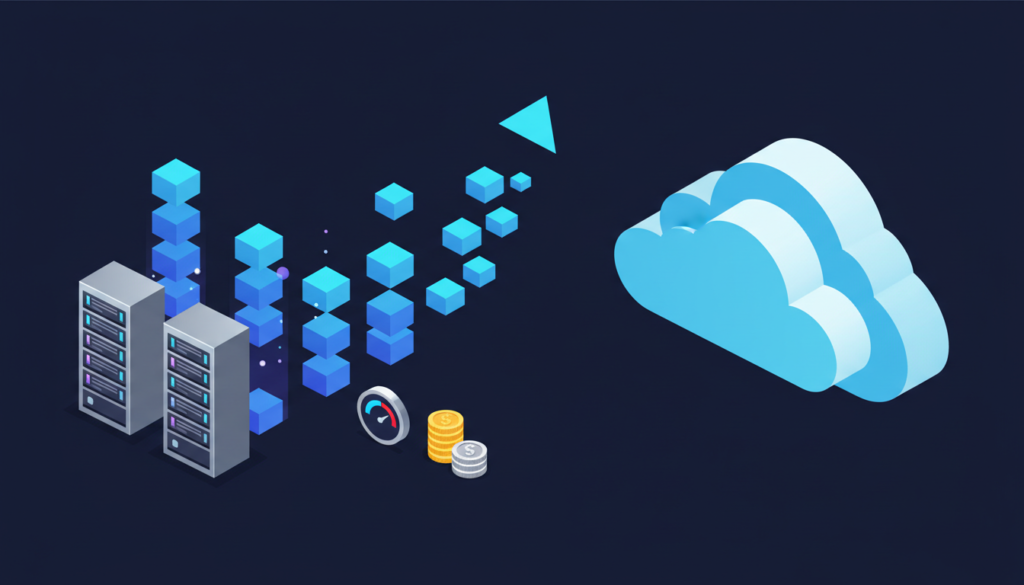
In shortCloud migration cost has two parts. The one-time project cost depends on how many applications you move, how much data you transfer and how much you change each application on the way. The ongoing cost is your monthly cloud bill plus the people who run it. Most budget surprises come from the second part, and from costs nobody listed in the first.
This guide explains every cost line in a migration, how the strategy you choose changes the total, and how to build an estimate you can defend to your finance team.
One-time costs versus ongoing costs
| One-time (the migration project) | Ongoing (after migration) |
|---|---|
| Discovery and assessment of current systems | Compute, storage and database services |
| Architecture and migration planning | Data transfer out of the cloud (egress) |
| Application changes, from small fixes to re-architecture | Backup, monitoring and security tools |
| Data migration and validation | Software licenses and support plans |
| Testing, cutover and rollback planning | Cloud operations staff or a managed service |
| Running old and new environments in parallel | Continuous cost optimization |
| Training and documentation | |
| Decommissioning old servers and contracts |
Your migration strategy sets the budget
AWS describes seven migration strategies, often called the “7 Rs”, in its Prescriptive Guidance. Most real migrations use a mix of them, chosen application by application.
| Strategy | What it means | Project cost | Effect on running cost |
|---|---|---|---|
| Rehost (lift and shift) | Move the application as it is | Lowest | Often higher than necessary until optimized |
| Relocate | Move infrastructure at hypervisor level without changing applications | Low | Similar to the current setup |
| Replatform | Move with targeted optimization, such as a managed database | Moderate | Usually lower operations effort |
| Repurchase | Replace with a SaaS product | Low to moderate, plus data migration | Shifts spending to subscriptions |
| Refactor / re-architect | Redesign to use cloud-native services | Highest | Can be lowest long term, if done well |
| Retain | Keep in the current environment for now | None now | Current costs continue |
| Retire | Switch off applications no longer needed | Minimal | Direct savings |
The cheapest migration project is rarely the cheapest outcome. Lift and shift gets you moved quickly, but applications built for fixed servers often run inefficiently in the cloud until someone rightsizes or refactors them.
The main cost drivers
- Number and complexity of applications. Ten simple web apps cost far less to move than two tightly coupled legacy systems with undocumented dependencies.
- Data volume and downtime tolerance. Large databases that cannot go offline need replication and careful cutover plans.
- How much you change. Each step from rehost toward refactor adds engineering effort and testing.
- Integrations. Every connection to another system, partner or on-premise device must be re-pointed and tested.
- Security and compliance. Identity setup, network design, encryption, logging and evidence for audits are real work, especially in regulated industries.
- Licensing. Some software licenses do not move to the cloud on the same terms. Check before you plan.
- Team skills. If your team is new to the cloud, budget for training or external help.
Hidden costs that break budgets
- Parallel running. You pay for the old and new environments at the same time until cutover is complete.
- Data egress. Moving data into the cloud is usually cheap; moving it out, or between regions, is often charged.
- Over-provisioning. Copying today’s server sizes into the cloud usually means paying for capacity you do not use.
- Idle resources. Test environments, snapshots and old volumes that nobody switches off.
- Scope creep and delays. Undiscovered dependencies extend projects and vendor time.
- Decommissioning. Data center contracts, hardware disposal and old licenses often run longer than planned.
Common pricing models for migration services
| Model | How it works | Best when |
|---|---|---|
| Fixed price | One agreed price for a defined scope | Applications and data are well understood |
| Time and materials | Pay for actual effort at agreed rates | Scope is uncertain or will evolve |
| Phased (hybrid) | Fixed-price assessment, then flexible execution | Most mid-sized migrations |
| Managed service | Monthly fee to migrate and then operate | You do not want to build an in-house cloud team |
Build your own estimate: a simple worksheet
Instead of trusting a generic price range, list your own applications and estimate each one. A simple sheet like this gives you a defensible number and makes vendor quotes easier to compare.
| Application | Strategy | Data size | Dependencies | Migration effort | Estimated monthly cloud cost |
|---|---|---|---|---|---|
| Company website | Replatform | Small | CRM form | Low | From provider calculator |
| Customer portal | Replatform | Medium | Database, email, payments | Medium | From provider calculator |
| Legacy reporting tool | Retire | Archive only | None | Low | Archive storage only |
Use the official calculators to estimate the monthly cost of the target setup: the AWS Pricing Calculator, the Azure Pricing Calculator or the Google Cloud Pricing Calculator. Then add a contingency line for the unknowns your assessment uncovers.
How to keep migration costs under control
- Start with an assessment. Inventory applications, data and dependencies before committing to a total.
- Retire before you migrate. Every application you switch off is one you do not pay to move.
- Migrate in waves, starting with low-risk applications to build experience.
- Rightsize after cutover using real usage data, and use committed-use discounts once workloads are stable.
- Tag every resource by team and project so you can see who spends what.
- Set budgets and alerts in your cloud account from day one.
Frequently asked questions
Is the cloud always cheaper than on-premise?
No. The cloud is usually cheaper for variable workloads and when you use managed services well. Steady, predictable workloads on fully used hardware can cost more after a straight lift and shift. The value often comes from speed, resilience and less hardware management.
How long does a cloud migration take?
A few simple applications can move in weeks. Large estates with many dependencies are usually migrated in waves over months. An assessment gives you a realistic timeline.
Why do migrations go over budget?
Most often because of undiscovered dependencies, longer parallel running than planned, and cloud resources that were never rightsized after cutover.
Should we modernize applications during the migration?
Only where it pays off. Many teams move quickly first, then modernize the applications that matter most. Our guide to custom software development covers when rebuilding makes sense.
Plan your migration
VisionColab helps businesses assess, plan and carry out cloud migrations on AWS and Microsoft Azure. See our cloud services or book a free consultation to start with an assessment.
Written by the VisionColab team
VisionColab designs and builds AI, web, mobile and cloud software for businesses. Our guides explain the decisions, costs and trade-offs involved in planning a software project.