Mobile App Development
Native vs Cross-Platform Mobile Apps: How to Choose in 2026
Native, Flutter, React Native or Kotlin Multiplatform? A practical comparison of performance, cost, hiring, device access and long-term maintenance, with a decision checklist.
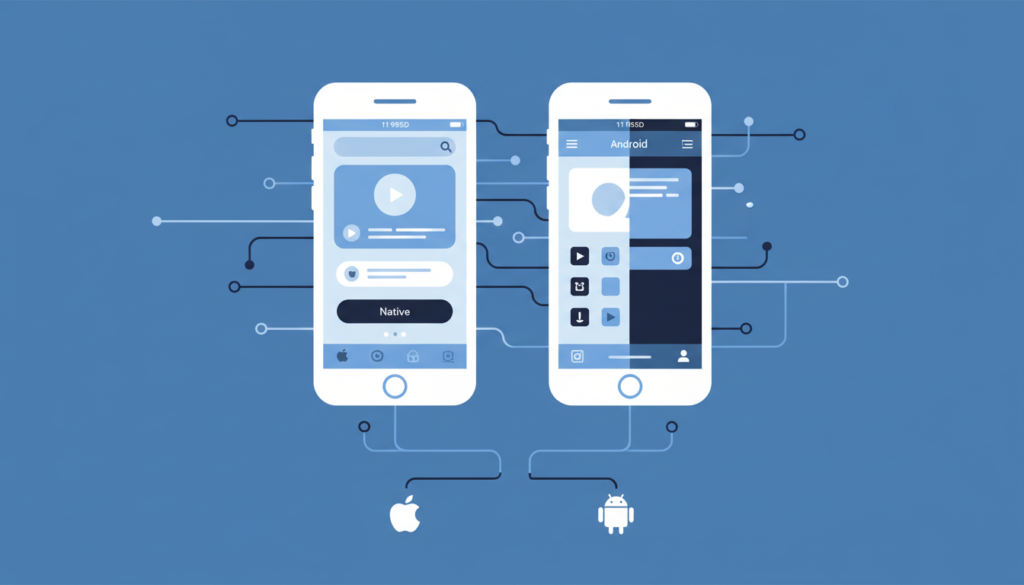
In shortChoose cross-platform (Flutter or React Native) when you need iOS and Android from one budget and your app is mostly screens, forms, lists and API calls. Choose native (Swift and Kotlin) when the app depends on heavy graphics, advanced camera or sensor work, or the newest platform features on release day. Kotlin Multiplatform sits between them: it shares business logic and can share UI, while keeping native code where you want it.
The native versus cross-platform debate used to be about performance. In 2026 it is mostly about team, budget and how much the app depends on the device itself. All the main frameworks are production-ready, and large companies ship each of them. The useful question is which one fits your product.
The four options in plain terms
| Approach | Language | How the UI is drawn | Code shared between iOS and Android |
|---|---|---|---|
| Native | Swift (iOS), Kotlin (Android) | Platform UI toolkits (SwiftUI, Jetpack Compose) | None by default |
| Flutter | Dart | Its own rendering engine (Impeller) | Almost all |
| React Native | JavaScript or TypeScript | Real native components, driven from JavaScript | Most |
| Kotlin Multiplatform | Kotlin | Native UI, or shared UI with Compose Multiplatform | Business logic always; UI optionally |
A few facts worth knowing, because older articles still repeat outdated claims:
- Flutter renders every pixel itself. Since version 3.27, its Impeller engine is the default on iOS and on Android API 29 and above, which removed most of the first-run animation stutter older Flutter apps were known for (Flutter documentation).
- React Native moved to its New Architecture, which replaces the old asynchronous “bridge” with direct calls between JavaScript and native code. It became the default in version 0.76 (React Native blog).
- Kotlin Multiplatform has been stable since 2023, and JetBrains declared Compose Multiplatform for iOS stable and production-ready in May 2025 with version 1.8.0 (JetBrains).
Side-by-side comparison
| Factor | Native | Flutter | React Native | Kotlin Multiplatform |
|---|---|---|---|---|
| Build cost for both platforms | Highest (two apps) | Lower | Lower | Medium |
| Performance for typical apps | Best | Very good | Very good | Native where UI is native |
| Heavy graphics, AR, advanced camera | Best fit | Possible with native modules | Possible with native modules | Good (drop to native easily) |
| New OS features on launch day | Immediate | Wait for plugin or write one | Wait for library or write one | Immediate in native layers |
| Look and feel | Exactly platform | Identical on both, customizable | Platform components | Your choice |
| Hiring pool | Two specialist skill sets | Dart developers (growing) | Very large (JavaScript/React) | Android/Kotlin developers |
| Sharing code with a web app | No | Limited | Good (React, TypeScript) | Logic can target web |
| Adding to an existing native app | n/a | Possible (add-to-app) | Possible (brownfield) | Designed for it |
When native is the right call
- The core of the product is the device: real-time camera processing, augmented reality, Bluetooth hardware, health sensors or background audio.
- You need widgets, watch apps, App Clips or other platform extensions as first-class features.
- You target only one platform, which removes the main reason to go cross-platform.
- You already have strong in-house iOS and Android teams.
When cross-platform is the right call
- You need both stores at launch and one team’s budget. This describes most startup MVPs, booking apps, marketplaces, internal tools and customer portals.
- You want features to ship on iOS and Android on the same day.
- Pick Flutter if you want a highly branded, identical design on both platforms and strong control over animation.
- Pick React Native if your team already writes React for the web, or you want to share types and logic with a web app. Expo makes builds and over-the-air updates simpler.
- Pick Kotlin Multiplatform if you have an existing Android app or Kotlin backend and want to share logic without rewriting the UI.
Costs people forget
Cross-platform saves most on the first build. Over several years, the savings depend on things buyers rarely ask about:
- Framework upgrades. Each yearly iOS and Android release, and each major framework release, needs testing and sometimes code changes. Native apps have this too, but with one fewer layer.
- Third-party packages. Cross-platform apps lean on community plugins for payments, maps or push notifications. An abandoned plugin becomes your problem. Check maintenance activity before you depend on one.
- Native work is never zero. Store setup, signing, push certificates, permissions and some native code are needed whichever framework you choose. Budget for someone who understands both platforms.
- The backend is the same price either way. The framework choice only changes the app layer. See how much mobile app development costs for the full picture.
A five-question decision checklist
- Do we need iOS and Android at launch? If no, native for the one platform is simplest.
- Is the product’s main value in camera, sensors, AR or heavy graphics? If yes, lean native or Kotlin Multiplatform.
- Does our team already know React and TypeScript? If yes, React Native is a natural fit.
- Do we want a custom, identical design on both platforms? If yes, Flutter is strong.
- Do we already have a native Android app? If yes, Kotlin Multiplatform lets you share without a rewrite.
Whatever you pick, test the riskiest feature first. Build a small prototype of the one screen that depends most on the device, such as the camera view or the live map, before committing the whole project.
Frequently asked questions
Are cross-platform apps slower than native apps?
For typical business apps, users will not notice a difference. Gaps appear in graphics-heavy work, very long lists with complex cells, or intensive real-time processing, where native code still has the edge.
Will Apple or Google reject a cross-platform app?
No. Both stores judge the app against their review guidelines, not the framework. Flutter and React Native apps are approved every day.
Can we switch from cross-platform to native later?
Yes, but it is a rewrite of the app layer. A cleaner path is to move individual performance-critical screens to native modules while keeping the rest shared.
What about a progressive web app instead?
A PWA is the cheapest route if users mainly need content and forms and do not need app store presence or deep device access. Support for some features, such as push notifications on iOS, is more limited than in native apps.
Further reading
Choose the right stack for your app
VisionColab builds native and cross-platform apps for iOS and Android. See our mobile app development services or book a free consultation to talk through which approach suits your product.
Written by the VisionColab team
VisionColab designs and builds AI, web, mobile and cloud software for businesses. Our guides explain the decisions, costs and trade-offs involved in planning a software project.