SaaS
What a SaaS MVP Should Include (and What to Leave Out)
A practical guide to scoping a SaaS MVP: the features every first version needs, the ones to postpone, how to prioritize with MoSCoW, Kano and RICE, and the technical choices that save you a rebuild later.
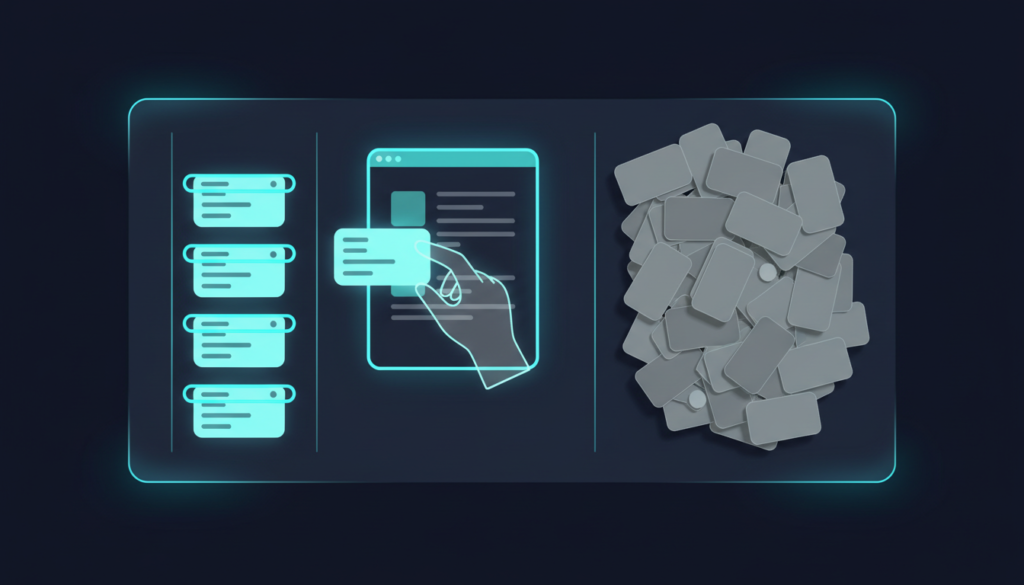
In shortA SaaS MVP should include only what a paying customer needs to complete one valuable job from start to finish: sign-up, the core workflow, a way to see results, a basic way to pay, and enough security and analytics to learn from real use. Everything else waits until customers ask for it.
Most SaaS MVPs fail in one of two ways. Some are so thin that nobody can get real value from them. Others take a year to build because every “small” feature seemed essential. This guide shows how to land between the two, with a checklist written specifically for software-as-a-service products.
What a SaaS MVP is, and what it is not
A minimum viable product is the smallest version of your product that lets real customers get real value, so you can learn whether they will keep using it and pay for it. For a SaaS product, “viable” has a specific meaning: customers trust you with their data and their workflow. That raises the bar compared with a consumer app or a landing-page experiment.
| An MVP is | An MVP is not |
|---|---|
| One complete workflow that solves one painful problem | A demo with fake data |
| Reliable enough for a customer to trust with real work | A beta full of half-finished features |
| Built to measure usage and retention | Version 1.0 of your full roadmap |
| Designed to be extended without a rewrite | Throwaway code you plan to bin |
Step 1: Define the one job your MVP must do
Write one sentence that describes who the customer is and what they will accomplish. For example: “An operations manager at a small logistics company can schedule tomorrow’s deliveries and send drivers their routes in under ten minutes.” Every feature in the MVP must serve that sentence.
Then set two or three measurable goals for the MVP, such as:
- Activation: the share of sign-ups who complete the core workflow once.
- Retention: the share still active after 7, 14 and 30 days.
- Willingness to pay: the number of customers who convert from a trial or pilot to a paid plan.
Step 2: Map the workflow with user stories
A user story map is the most reliable way to keep an MVP small without leaving gaps. Write the steps of the customer’s journey from left to right, then list the user stories under each step from most to least important. Draw a line across the map: everything above the line is the MVP.
| Sign up | Set up | Do the core job | See results | Pay |
|---|---|---|---|---|
| Create an account with email | Import a list of drivers from CSV | Create tomorrow’s delivery schedule | View the day’s routes on a map | Enter card details for one plan |
| Later: Google and Microsoft sign-in | Later: sync from an HR system | Later: automatic route optimization | Later: weekly performance reports | Later: multiple plans and annual billing |
Each MVP story should have acceptance criteria: a short list of conditions that must be true for the story to count as done. They prevent the “is this finished?” debates that slow small teams down.
Step 3: Prioritize with a framework, not opinions
| Framework | How it works | Best for |
|---|---|---|
| MoSCoW | Sorts features into Must have, Should have, Could have and Won’t have (this time) | Agreeing the MVP cut-line with stakeholders |
| Kano | Separates basic expectations, performance features and “delighters” | Checking you have not missed something customers simply expect |
| RICE | Scores Reach x Impact x Confidence, divided by Effort | Ranking the backlog after launch |
Use MoSCoW to draw the line, Kano to check for missing basics, and RICE to decide what comes next once real usage data arrives.
The SaaS MVP checklist: what to include
- Sign-up and login with email and a secure password reset. Use a proven authentication service rather than building your own.
- Accounts that hold data for a team or company, even if each account starts with one user. Adding this later is one of the most expensive changes in SaaS.
- The core workflow, complete from start to finish, with sensible empty states and error messages.
- Simple onboarding that gets a new user to the first useful result quickly, such as sample data or a short checklist.
- A way to take payment: one plan through a payment provider, or even manual invoicing for early pilots.
- Product analytics that track sign-ups, activation and key actions, so you can measure your MVP goals.
- A basic admin view for your own team to see accounts and help customers.
- Security basics: HTTPS everywhere, encrypted data storage, regular backups and a privacy policy.
- A feedback channel such as an in-app message link or support email.
What to leave out of the first version
- Enterprise single sign-on (SAML) and detailed permission roles, unless your first customers require them to sign.
- Multiple pricing tiers, coupons, annual billing and usage-based pricing.
- Native mobile apps, when a responsive web app does the job.
- An integrations marketplace. Start with CSV import and export, or one integration your customers ask for most.
- Custom dashboards and report builders.
- Automation and AI features that are not part of the core job.
- Themes, white-labeling and extensive settings pages.
A simple test for every feature: if it disappeared, could a customer still complete the core job and get value? If yes, it can wait.
Technical decisions that prevent a rebuild
Keeping features small does not mean taking shortcuts with the foundations. A few early choices are cheap now and expensive to change later:
- Tenant-aware data model. Every record belongs to an account from day one, so customers never see each other’s data.
- A mainstream, well-supported stack that many developers know, so you can grow the team.
- A clean API between frontend and backend, which makes a future mobile app or integration much easier. See our guide to API design best practices.
- Managed cloud services for databases, file storage and email, so a small team is not running servers.
- Automated deployment and error monitoring from the first release.
Validate before and after you build
- Before code: interview potential customers about the problem and test a clickable prototype. Our guide to usability testing on a budget shows how to run these sessions.
- During the build: show working software to a small group of design partners every sprint.
- After launch: track your activation and retention goals weekly, talk to users who leave, and let that evidence decide the next features.
Common SaaS MVP mistakes
- Building for every possible customer type instead of one clear segment.
- Delaying launch to add “just one more” feature.
- Skipping analytics, then having no data to decide what to build next.
- Treating the MVP as throwaway code and having to rebuild it once customers arrive.
- Not charging at all, which hides whether customers value the product.
Frequently asked questions
How many features should a SaaS MVP have?
There is no fixed number. It should have exactly the features needed to complete one core job from start to finish, plus sign-up, payment, analytics and basic security. For most products that is a small set.
Should a SaaS MVP charge money?
Usually yes, even if the price is low or the first customers are on a discounted pilot. Payment is the clearest signal that the product solves a real problem.
Can I build a SaaS MVP with no-code tools?
For validating demand, often yes. If you expect to scale, handle sensitive data or need complex logic, plan for custom development early so you are not forced into a rebuild at the worst moment.
How much does a SaaS MVP cost?
It depends on the workflow, integrations and design. Our guide to web application development cost explains the main cost drivers and how to compare quotes.
Further reading
- Y Combinator Startup Library: How to Build an MVP
- What Is Custom Software Development? A Plain-English Guide
Plan your SaaS MVP with us
VisionColab helps founders scope, design and build SaaS products, from the first user story map to launch. Explore our SaaS development services and UI/UX design services, or book a free consultation.
Written by the VisionColab team
VisionColab designs and builds AI, web, mobile and cloud software for businesses. Our guides explain the decisions, costs and trade-offs involved in planning a software project.