Software Development
API Development and Integration Cost: What Drives the Budget
What really decides the cost of building an API or integrating systems: authentication, data mapping, error handling, third-party fees, rate limits, vendor changes, monitoring, and build vs iPaaS.
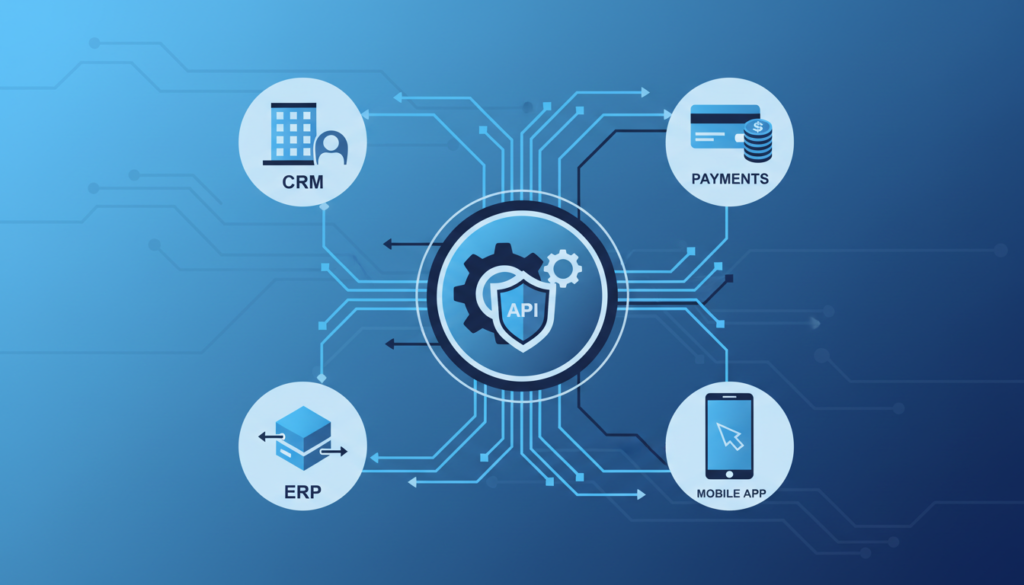
In shortAPI cost is set less by the number of endpoints than by the work around them: authentication and permissions, data mapping between systems, error handling and retries, security, documentation, testing and monitoring. For integrations, budget for what you do not control too: third-party usage fees, rate limits, and the upkeep needed when a vendor changes its API. An integration is never finished on launch day.
“Connect our CRM to the billing system” sounds like a small job. Sometimes it is. Often it turns into weeks of mapping fields, handling edge cases and chasing undocumented behavior. This guide explains where the effort goes so you can scope realistically and compare quotes on equal terms.
Two different jobs: building an API vs integrating APIs
| Building your own API | Integrating existing APIs | |
|---|---|---|
| Goal | Expose your data or features to apps, partners or customers | Make your systems exchange data with other systems |
| You control | Design, versioning, performance, documentation | Only your side of the connection |
| Main effort | Design, security, scalability, docs | Data mapping, error handling, sync logic |
| Biggest hidden cost | Supporting old versions after clients depend on them | Vendor changes, rate limits and usage fees |
The cost drivers, in order of impact
1. Authentication and permissions
A simple API key is quick. Supporting OAuth 2.0, single sign-on, per-customer tokens, scopes and role-based access takes much longer, and is where security mistakes happen. Broken authorization tops the OWASP API Security Top 10 for a reason.
2. Data mapping and transformation
Two systems rarely agree on what a “customer” or an “order” is. One stores a full name, the other first and last names. One uses tax-inclusive prices, the other does not. Deciding which system is the source of truth for each field, and what happens on conflicts, is often the largest part of an integration.
3. Sync pattern
- One-way, scheduled (for example a nightly export) is the cheapest.
- Real-time with webhooks needs endpoints to receive events, signature checks, and handling for duplicates and out-of-order events.
- Two-way sync is the most expensive, because both sides can change the same record and conflicts must be resolved.
4. Error handling and reliability
Networks fail and vendors go down. A production integration needs retries with backoff, a queue for failed messages, and protection against doing the same thing twice. Payment providers such as Stripe support idempotency keys for exactly this reason. Without this work, integrations silently lose or duplicate data.
5. Quality of the other side’s API
A modern, well-documented API with a test sandbox can be connected quickly. An older system with no sandbox, partial documentation or a SOAP or file-based interface can take several times longer. Ask for API documentation and sandbox access before accepting a quote.
6. Volume and performance
Syncing a hundred records a day is different from millions. High volume needs batching, pagination, caching and careful handling of the vendor’s rate limits.
7. Compliance
Moving personal, health or payment data between systems brings requirements such as GDPR, HIPAA or PCI DSS: encryption, audit logs, data minimization and contracts with each processor.
8. Documentation and testing
An API others will use needs a specification, usually in OpenAPI format, plus examples and automated tests. Leaving documentation out of the original scope is one of the most common causes of overruns. Our guide to API design best practices covers what good documentation and versioning look like.
Ongoing costs most budgets forget
| Cost | What it is | How to plan for it |
|---|---|---|
| Third-party usage fees | Per-call, per-record or tiered charges from vendors you connect to (maps, SMS, data providers, AI models) | Estimate monthly volume and check the vendor’s pricing page before building |
| Rate limits | Caps on how many requests the vendor allows | Design batching and queues; check whether a higher tier is needed |
| Vendor API changes | Deprecated versions, changed fields, new authentication rules | Subscribe to vendor changelogs; budget regular maintenance time |
| Monitoring and alerting | Knowing when an integration fails before customers notice | Log every call, alert on error rates and stalled queues |
| Hosting | Servers, queues and storage for the integration itself | Usually modest, but grows with volume |
| Credential management | Rotating keys and refreshing tokens securely | Use a secrets manager, never hard-code keys |
Build custom or use an integration platform?
Integration platforms (often called iPaaS) and automation tools offer ready-made connectors for popular apps. They are a good choice when the connection is simple, the apps are common and volumes are modest. Custom code is better when you need complex logic, high volume, strict security or full control, or when per-task platform fees would exceed the cost of building.
| Integration platform | Custom integration | |
|---|---|---|
| Time to first version | Fast | Slower |
| Upfront cost | Low | Higher |
| Running cost | Subscription, often by task volume | Hosting and maintenance |
| Complex logic and edge cases | Limited | Unlimited |
| Control over data and security | Shared with the platform | Full |
What to put in your brief
- Every system involved, with links to its API documentation and whether a sandbox exists.
- Which data moves, in which direction, and how often.
- Which system is the source of truth for each type of record.
- Expected volume today and in two years.
- Authentication requirements and who the API users will be.
- Compliance requirements and the countries involved.
- What should happen when something fails, and who gets alerted.
With this brief, quotes from different teams become comparable. A quote that does not mention error handling, monitoring or documentation is leaving them out, not including them for free.
Frequently asked questions
Why do two quotes for the same integration differ so much?
Usually because they assume different scope: one includes error handling, monitoring and documentation, the other covers only the “happy path”. Ask each vendor to list exactly what is included.
Can we start with a simple version?
Yes. A one-way, scheduled sync of the most important records is a good first step. Add real-time updates and two-way sync once the basics are proven.
REST or GraphQL for a new API?
REST suits most business APIs and is simpler to cache and secure. GraphQL helps when many different clients need flexible queries over related data.
How much maintenance should we expect?
It depends on how often the connected vendors change their APIs. Plan regular review time, keep an eye on vendor deprecation notices, and treat each integration as a small product with an owner.
Further reading
Scope your integration
VisionColab builds APIs and integrations for web, mobile and AI products. See our web development services or book a free consultation to map out what your integration really involves.
Written by the VisionColab team
VisionColab designs and builds AI, web, mobile and cloud software for businesses. Our guides explain the decisions, costs and trade-offs involved in planning a software project.