UI/UX Design
UI/UX Design Cost for Apps and Web Products: What You Pay For
What drives the cost of UI/UX design for apps and web products: research, screens, design systems, accessibility, prototyping and handoff, plus pricing models and how to compare design quotes.
In shortUI/UX design cost depends on how much research is included, how many unique screens and user flows there are, whether you need a reusable design system, accessibility requirements, rounds of testing and revisions, and how thorough the developer handoff is. Screen count alone is a poor guide. Compare quotes by deliverables, not by the total.
Design is usually a smaller line in a software budget than development, but it decides how much of the development budget gets wasted. A screen that is redesigned after it is built costs far more than one that was tested as a prototype first. This guide explains what you are paying for and how to tell a thorough design quote from a thin one.
UX and UI: two different jobs
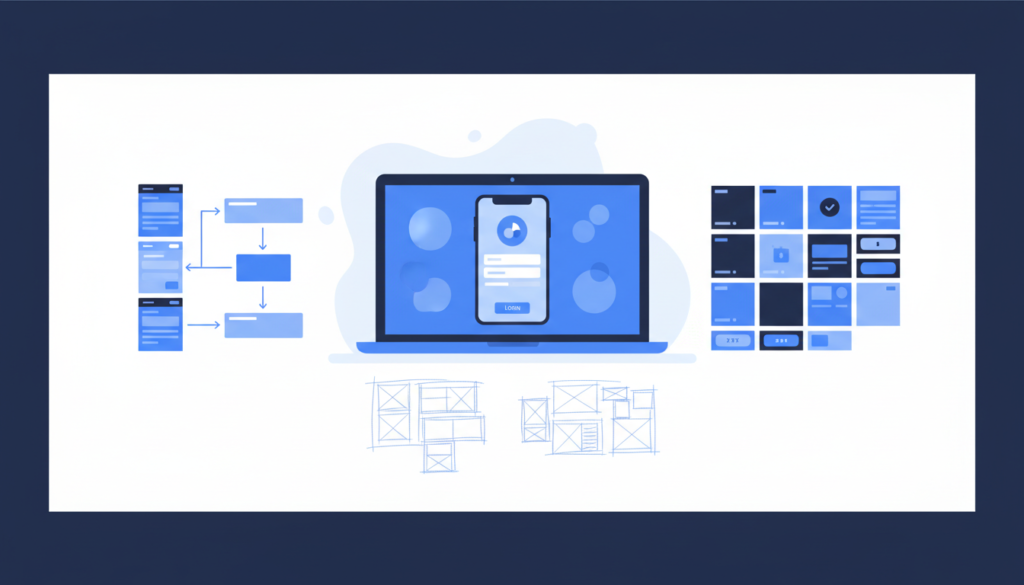
UX (user experience) design decides what the product does and how people move through it: research, user flows, information architecture, wireframes and testing. UI (user interface) design decides how it looks: layout, typography, color, components, icons and visual states. A quote that only lists “screens” is usually pricing UI and assuming the UX has already been worked out.
What a complete design engagement includes
| Stage | Typical deliverables | Why it matters to cost |
|---|---|---|
| Discovery and research | Stakeholder interviews, user interviews, competitor review, goals and success measures | Prevents designing the wrong thing; often cut first and regretted later |
| Information architecture and flows | Sitemap, user journeys, task flows | Each distinct flow multiplies screens and states |
| Wireframes | Low-fidelity layouts for every key screen | Cheap place to change your mind |
| Prototype and testing | Clickable prototype, usability sessions, findings | Finds problems before development money is spent |
| Visual (UI) design | High-fidelity screens, brand application, responsive layouts | Scales with unique screens and breakpoints |
| Design system | Reusable components, tokens (colors, type, spacing), usage rules | Higher upfront, lower cost for every later feature |
| Accessibility | Contrast checks, focus states, screen-reader notes, WCAG mapping | Needed for legal compliance in many markets |
| Developer handoff | Specs, all states (empty, loading, error), assets, annotations | Thin handoff causes rework during development |
The factors that move the price
1. Unique screens and states, not total screens
Twenty product pages built from one template are one design. A single checkout can need a dozen states: empty cart, invalid card, address errors, loading, success, and failure. Ask the designer to count flows and states, not pages.
2. Platforms and breakpoints
A web app designed for desktop, tablet and mobile, plus native iOS and Android apps that follow each platform’s conventions, is several design jobs. Deciding which platforms matter at launch is one of the easiest ways to control cost.
3. Depth of research
Research ranges from a one-day workshop to weeks of interviews across user groups. For a new product, a modest amount of research is usually the best value in the whole budget. For a redesign, analytics and support tickets often provide much of the evidence for free.
4. Design system or one-off screens
A design system costs more at the start, but every later feature is assembled from existing components, which keeps the product consistent and speeds up development. For a small marketing site it is overkill. For a SaaS product you plan to grow for years, it usually pays for itself.
5. Accessibility requirements
Accessible design is easier and cheaper to build in from the start than to retrofit. The common benchmark is WCAG 2.2, published by the W3C. If you sell to consumers in the EU, the European Accessibility Act (Directive 2019/882) has applied since 28 June 2025 to many digital services, including e-commerce, banking and e-books. Tell the design team early which markets you serve.
6. Revisions and decision-making
Most fixed quotes include a set number of revision rounds. Projects with many stakeholders and slow feedback cost more, regardless of the design work itself. Naming one decision-maker is the cheapest way to cut cost.
7. Who does the work
Freelancers, agencies and in-house designers price differently, and hourly rates vary widely by country. A lower rate is only cheaper if the work arrives complete and buildable.
Pricing models
| Model | Best for | Watch out for |
|---|---|---|
| Fixed price | Clearly scoped work: a defined MVP or a redesign of known screens | What counts as a revision, and what happens when scope grows |
| Time and materials | Discovery, research and products still taking shape | Ask for weekly reporting and a budget cap |
| Monthly retainer or dedicated designer | Ongoing product work alongside development sprints | Make sure work is planned, not just reactive |
| Design included in development | Agencies that design and build | Check design is a real phase with testing, not a quick mock-up |
How to compare design quotes
- Send every designer the same brief: users, goals, platforms, key flows and markets.
- Check whether research and usability testing are included, and with how many participants.
- Ask whether all states (empty, loading, error, success) are designed, or only the “happy path”.
- Ask what the handoff contains and in which tool, and whether the designer answers developer questions during the build.
- Confirm you will own the design files and that fonts, icons and stock images are properly licensed.
- Ask how accessibility is checked.
Ways to spend less without cutting quality
- Design and test the core flow first, and leave settings and edge features until it works.
- Start from a proven component library and customize it, instead of drawing every element from scratch.
- Run small, frequent usability tests. The method in our guide to usability testing on a budget needs only five participants per round.
- Keep designers involved during development, so questions are answered in hours rather than guessed.
Frequently asked questions
How long does UI/UX design take?
It follows scope. A landing page can take days; a new product with research, testing and a design system takes weeks to a few months. Design for later features usually runs one sprint ahead of development.
Can we skip UX research to save money?
You can, but you move the risk into development, where changes cost more. At minimum, test a clickable prototype with real users before building.
Is a template or UI kit good enough?
For internal tools and early MVPs, often yes. A kit handles visual consistency; you still need UX work to design the flows that are specific to your product.
Who owns the design files?
Whoever the contract says. Make sure it transfers the files and rights to you on payment.
Further reading
Get a design estimate
VisionColab’s design team handles research, prototyping, usability testing and developer-ready UI. See our UI/UX design services or book a free consultation.
Written by the VisionColab team
VisionColab designs and builds AI, web, mobile and cloud software for businesses. Our guides explain the decisions, costs and trade-offs involved in planning a software project.