UI/UX Design
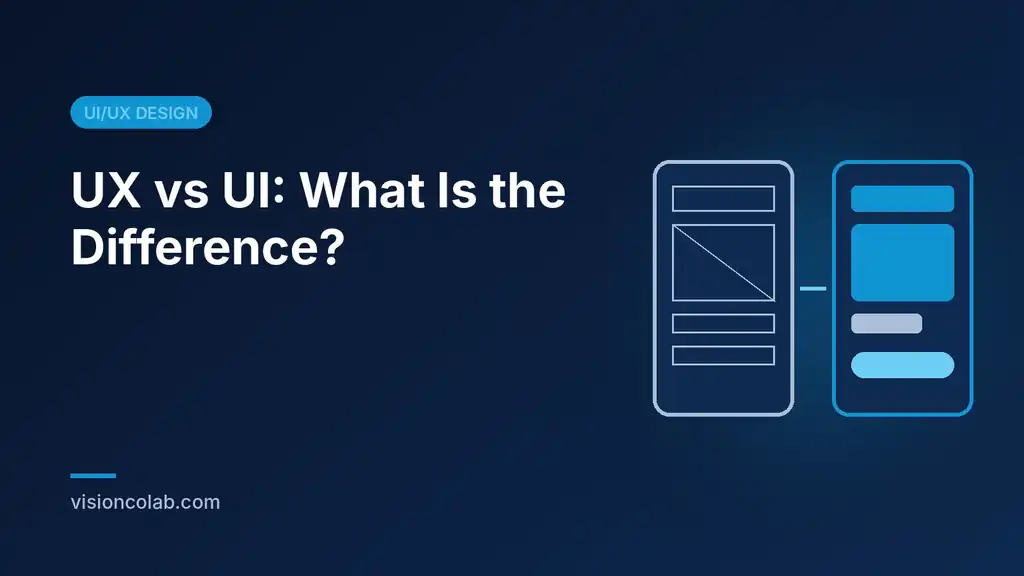
UX vs UI: What Is the Difference?
The difference between UX (user experience) and UI (user interface) design explained with a real example, a side-by-side table, deliverables, tools, how they work together, and which one your project needs.
In shortUX (user experience) design decides what a product does and how people move through it so they can reach their goal easily: research, user flows, structure and testing. UI (user interface) design decides how it looks and feels on screen: layout, typography, color, buttons and visual states. UX is the plan for the journey; UI is the signage and surfaces along the way. A product needs both, and they work best when designed together.
The two terms are often joined as “UI/UX”, which hides a real difference in the work, the skills and the deliverables. Knowing the difference helps you hire the right people, read a design quote and spot what is missing from a project.
One example, two jobs
Imagine a clinic’s appointment booking app.
- UX questions: Do patients choose the therapist first or the time first? Must they create an account before booking, or after? What happens if no slots are free this week? How do they reschedule? Research and testing answer these.
- UI questions: How do available and full time slots look? How large are the buttons on a phone? What color marks an error? What does the confirmation screen look like? Visual design answers these.
A beautiful interface cannot rescue a confusing booking flow, and a well-planned flow still fails if buttons are hard to see or tap. That is why the two are distinct but inseparable.
UX vs UI side by side
| UX design | UI design | |
|---|---|---|
| Main question | Does this solve the user’s problem easily? | Is it clear, attractive and consistent on screen? |
| Focus | Goals, journeys, structure, content, behavior | Layout, typography, color, components, motion |
| Typical activities | Interviews, user flows, information architecture, wireframes, usability tests | Visual design, design systems, icons, responsive layouts, interaction states |
| Deliverables | Research findings, journey maps, sitemaps, wireframes, prototypes | High-fidelity screens, component library, style guide, specs for developers |
| Success measured by | Task completion, time on task, errors, conversion | Visual clarity, consistency, accessibility, brand fit |
| Applies beyond screens? | Yes: emails, onboarding, support, even physical steps | Mostly digital interfaces |
The Nielsen Norman Group, whose co-founder Don Norman popularised the term “user experience”, stresses that UX covers every part of a person’s interaction with a company, not just the interface.
How UX and UI work together in a project
- Research (UX): understand users, their goals and pain points.
- Structure and flows (UX): decide the screens and steps needed.
- Wireframes (UX, with UI input): low-detail layouts of each screen.
- Prototype and test (UX): real users try a clickable version; the flow is fixed before visuals are polished.
- Visual design (UI): high-fidelity screens and a reusable component library.
- Test again (UX and UI): check that the polished design still works and is accessible.
- Handoff and build: designers stay involved as developers implement.
Our step-by-step guide to usability testing on a budget covers step 4 in detail.
Where accessibility fits
Accessibility belongs to both. UX makes sure flows work with keyboards and screen readers and that instructions are clear. UI makes sure text contrast, focus indicators, target sizes and error states meet standards such as WCAG 2.2. Leaving it until the end is far more expensive than designing it in.
Roles and skills
- UX designers and researchers: interviewing, analysis, information architecture, prototyping, testing, writing clearly.
- UI designers: visual hierarchy, typography, color, layout systems, component design, attention to detail.
- Product designers: a common title for people who do both, especially in startups and small teams.
Both commonly work in tools such as Figma for wireframes, prototypes and final screens, so the tool does not tell you which job someone does. Their portfolio does: look for research and tested flows (UX) as well as polished screens (UI).
Which does your project need?
| Situation | Priority |
|---|---|
| New product, unclear what users need | UX first: research and tested prototypes |
| Users complain they cannot find things or finish tasks | UX: flows and structure |
| Product works well but looks dated or inconsistent | UI: visual refresh and design system |
| Rebrand | UI, with a UX check that nothing breaks |
| Building a SaaS product to grow for years | Both, plus a design system |
Common misconceptions
- “UX is just wireframes.” Wireframes are one output. The core of UX is understanding users and testing decisions.
- “UI is just making it pretty.” Good UI is about clarity: guiding attention, showing state and preventing errors.
- “We can add UX later.” Changing flows after development is much more expensive than changing a prototype.
Frequently asked questions
Is UX more important than UI?
Neither works alone. UX failures stop people from completing tasks; UI failures make tasks slower, more error-prone and less trustworthy. Most projects start with UX decisions, then UI brings them to life.
Can one person do both?
Yes. Many product designers handle both, which suits small and medium projects. Large products often have specialists for research, interaction design and visual design.
Is UX design the same as usability?
Usability, how easy something is to use, is one part of UX. UX also covers usefulness, content, trust and the experience around the product.
How does this affect design cost?
A quote that lists only screens is usually pricing UI. Check whether research, flows and testing are included. Our guide to UI/UX design cost explains what to look for.
Further reading
Design that works and looks right
VisionColab’s design team covers research, flows, testing and visual design. See our UI/UX design services or book a free consultation.
Written by the VisionColab team
VisionColab designs and builds AI, web, mobile and cloud software for businesses. Our guides explain the decisions, costs and trade-offs involved in planning a software project.